Site Meter

Friday, August 27, 2010

Review iPad's 1st Interactive Book

Not Impressed" was my colleague's 1st comment after browsing this new multimedia item, Pillars of the Earth. I have to agree with her on this assessment.  The first 47 pages I read, had one short video, and no pictures or audio clips. I guess we were expecting fireworks. We planned on watching the 1st episode of the mini-series Friday at home, [July 23rd] but the pay-per view put a halt to that at $14.99 for each Friday showing. Although, Starz  reports ‘The Pillars of the Earth Draws 690,000 For Premiere Between Starz & Encore." http://alturl.com/wj95h The final episode is this Friday, Aug. 27.  Apple.com "Costumer Ratings" and "Reviews" rates this iPad app for Pillars of the Earth at 2 stars. http://alturl.com/mw3hu

This is quite a marketing tool actually, matching the iPad app [$12.99] and the pay-per-view mini-series for 8 weeks. The interactive book came out 4 days before the mini-series. We'll see more of this in the months and years ahead for sure. What we really want to see is how this "model" moves towards an excellent production of "interactive textbooks" for students in the near future.  Also 1.6GB is a large program to load and this app is supposed to be updated each week at another 1.6GB.   We have not updated our app because of the space this program requires. [Our iPads are the 16GB models.]
This 1st version of an interactive book reminds me one of the 1st "LaserDisc technology" programs using Pioneer CLD-V2400 LaserDisc players.  These units interacted with the PC software for social studies middle school classrooms in the 90's and replaced hard copy textbooks, some of you might remember. It looks slick, but got boring real quick. Even the teachers were perplexed and wanted to return to their old textbooks. I do understand the science and math programs at the time were much more appealing. We hope the 1st generation of student textbooks has a little more "pop" for the money.

In 1995 the LaserDisc technology was projected positively by Palm Beach County School District in Florida, to "enhance classroom instruction with full-motion audio, true-to-life images, easy operation and adaptability to any curriculum and increase technology-based education capabilities at every grade level".  http://alturl.com/yu9kx

We can only hope that the long awaited interactive textbooks for iPad are keeping up with the technology of the 21st century in education.

Wednesday, July 21, 2010

The Amplified Edition on iPad July 20th!


Ken Follett's novel, "The Pillars of the Earth" was released yesterday on iPad as an Amplified Edition. What does this mean? Full text with a truly integrated multimedia experience!

Combines text, film clips and music
*Contextual video clips at corresponding points in the book
*Interviews with the author
*Video diary from Mr. Follett
*Audio clips
Also included:
*Sketches of the set where the miniseries was filmed
*Selections from the soundtrack
*Family tree with background of different characters
*Video clips of actors discussing their roles

This is a Penguin-Starz project with Apple, giving readers extensive excerpts from the TV production from the miniseries that begins this Friday, July 23. Readers will get a chance to see the imagery, architecture, music and clothing from this time period.
Each week of the miniseries, you can download new content to your iPad, iPhone or iPod, as the TV mini-series continues. Downloads are $12.99 from iTunes. Reese Marino from the San Jose Book Examiner says it's like an "e-book on steroids".
This 1st Amplified Edition will give us a sneak preview of what multimedia/interactive textbooks will be like for our students. This is an exciting time to be in education on both sides of the desk:]
What's next? Textbooks on steroids?

Monday, June 28, 2010

Prices "slashed" on e-readers!


Not a surprise!


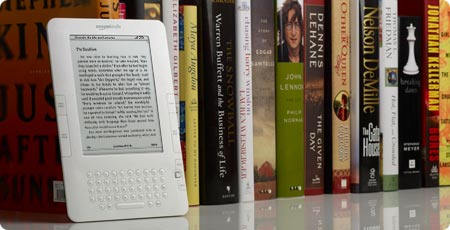
Kindle2's are now $189, originally $259.

The original Kindle1's were $359 in their beautiful marketing box.

Barnes & Noble's NOOK dropped their price to $199, originally $259.
They also introduced a new Wi-Fi version, minus the 3G for $149.

Tuesday, May 18, 2010

Pros and Cons Digital e-Readers May 2010

iPad pros
-Ease of use, color & graphics are exceptional,
back lit for night time reading
-Internet on iPad; no comparison to Kindle’s drab web browser
-Vibrant and cool looking icons/apps, very “alive”, giving user many choices

-Purchase a book with our password only
-Low end iPad with 16GB memory at $499 with Wi-Fi,
compared to Kindle DX/K2 with 4GB memory for $489

iPad cons
-Monthly fee $14.99 250MB data/ $29.99 unlimited data service 3G wireless
-Glare on the glass, eye strain
-battery power 10 hrs
-Wi-Fi card is not as strong as our laptops, connection can be difficult inside library
-Patrons can set a password lock on unit, IT has to reset upon return of unit- solution: put a 4 digit number for password before 1st check out, patron needs our password to change

Kindle DX/K2 pros
-Downloads wirelessly, free Whispersync, via Sprint, under 60 second purchase
-Wireless download "click to purchase", receiving 1 to 6 copies of each book
-Battery power 7 days with the wireless on
-Very easy on the eyes, no glare, no complaints about eye strain
-Text-to-Speech

Kindle DX/K2 cons
-No expandable memory [except original K1]
-No color
-No back lit feature
-No replaceable battery -[except original K1]
-Easy for patrons to order items without approval

Sony pros
-Finding and opening a book is easy, stylus is very handy
-Staff downloads ALL e-books via the PC using a USB cable
-Compatible with Mac and PC
-Compatible with multiple eBook stores
-Purchase via password account

Sony cons
-Turning the pages by 'whisking' the index finger does not work efficiently
-"Touch" & "tap" feature is not always productive
-Eyestrain from glare on glass, ink is very light gray with any font size
-Use USB cable connected to PC for all downloads, no wireless feature
-Awkward for patrons to download free e-books via USB cable

Nook pros
-Free wireless downloads, 3G & Wi-Fi via AT&T
-Color touch screen for navigation
-Digital lending for 2 weeks
-Purchase via password account
-Memory expansion, 16GB card up to 17,500 eBooks
-Replaceable battery

Nook cons
-Color feature on touch screen only for navigating, small narrow screen
-Books are in black/gray, not color
-Hard to use the small “touch” keypad, very sensitive
-Digital lending for 2 weeks, not approved by all publishers
-Awkward power on/off button

Friday, April 16, 2010

iPads are great fun and educational!


It's been really fun using the iPad!
It's great to hear all the ohhh's and awwwh's from students, faculty and staff, over the ease of use, terrific graphics and all the fun apps.
I have not read any of the books we purchased, and would like to see if it's as easy to read several chapters on the iPad as it is with the Kindle without eye strain.
Hopefully this weekend, time will permit spending some quality time with the iPad.
We loaded 3 books for a variety; Stones in Schools by Greg Mortenson, Water for Elephants by Sara Gruen, and a little sci-fi by Jim Butcher, Storm Front.
Some have noticed quite a glare from the glass, and that's the only complaint. The Wi-Fi card is not as strong as our laptops, so we don't find a quick connection at every area of the library. If we go outside to get connected, and walk back inside, it usually stays. Our next set will have at least one 3G unit.
Only problem we have run into is loading iTunes on our PC's. Why? We have Deep Freeze on our PC's, which prevents us from downloading new software. We used our MacBook Pro, but it had an older version of iTunes, and we needed Ver. 9.1. IT came to our rescue and loaded the new version on the MacBook Pro and within minutes we had our update, iPads connected, configured and up and running with 3 books purchased. I would also suggest charging up the iPad for at least 1 hour before you get started, using the power cable, not the USB cable, as the USB takes longer to charge.
Good News for libraries: To purchase a book, we have to use a password, not a '1-click' to buy, like the Kindle. Once you're in the store and purchase one book with a password, you can keep ordering books for that session. This process will help us keep track of our inventory. Patrons can browse the store for books and download samples, but they can't purchase.
It was a crazy morning getting the equipment set up, for our raffle, before the first patrons could borrow the iPads. If you are about to set out on this journey or purchasing any other digital e-readers, please give yourself plenty of time to set these up without being in a rush.
We hope in the very near future, Apple will have more news about the 5 major publishing companies and e-textbooks to help students defray the cost of books for their college education.

Monday, April 12, 2010

iPads Have Arrived!

There will be a drawing for 1st check out, April 14th, 12:30 pm, during National Library Week, here at Palm Beach State, LLRC, floor 2. Three lucky patrons will be the first to check out our iPads.


Thursday, March 18, 2010

April 3rd iPad arrives!


Did you pre-order your iPad?

We did! We hope to receive our shipment Saturday April 3rd or Monday, April 5th. There is a limit of 2 in the pre-order and then the rest will arrive hopefully in May.

We will be giving demonstrations on all our digital e-readers during National Library Week, in April. The theme this year is "Communities Thrive @ your library". What a wonderful time to introduce the iPad, Kindle, Nook and Sony Touch e-readers to patrons.

This will be an exciting time at Palm Beach State College:]